
Balancing caution and action with AI agents
AI agents are powerful, and they’re everywhere. But to use them properly, you need to balance autonomy—letting agents act on their own—with correctness, since even the best AI agents won’t always match a human’s judgment. How do you strike the right balance?
We started thinking about this in earnest as we were building deals and pipelines. New deal information is often conveyed in emails, and Carom’s AI can interpret those emails and update deal statuses or set values before their recipients even check their inboxes.
But we know not everyone will want that. More broadly, agents will have different success rates with different tasks, so what works for one task may not work for others. That’s why we created the ability for Carom users to tune their agents, both for deals and for other records we track.
Turning the autonomy dial
What that means in practice is that for your deal agent in Carom, you can choose (for each of several different actions) what you want your agent to do:
- Off, if you want to reserve this task for a human
- Suggest a change for a human to accept or reject
- Act autonomously based on the AI’s rules and interpretation
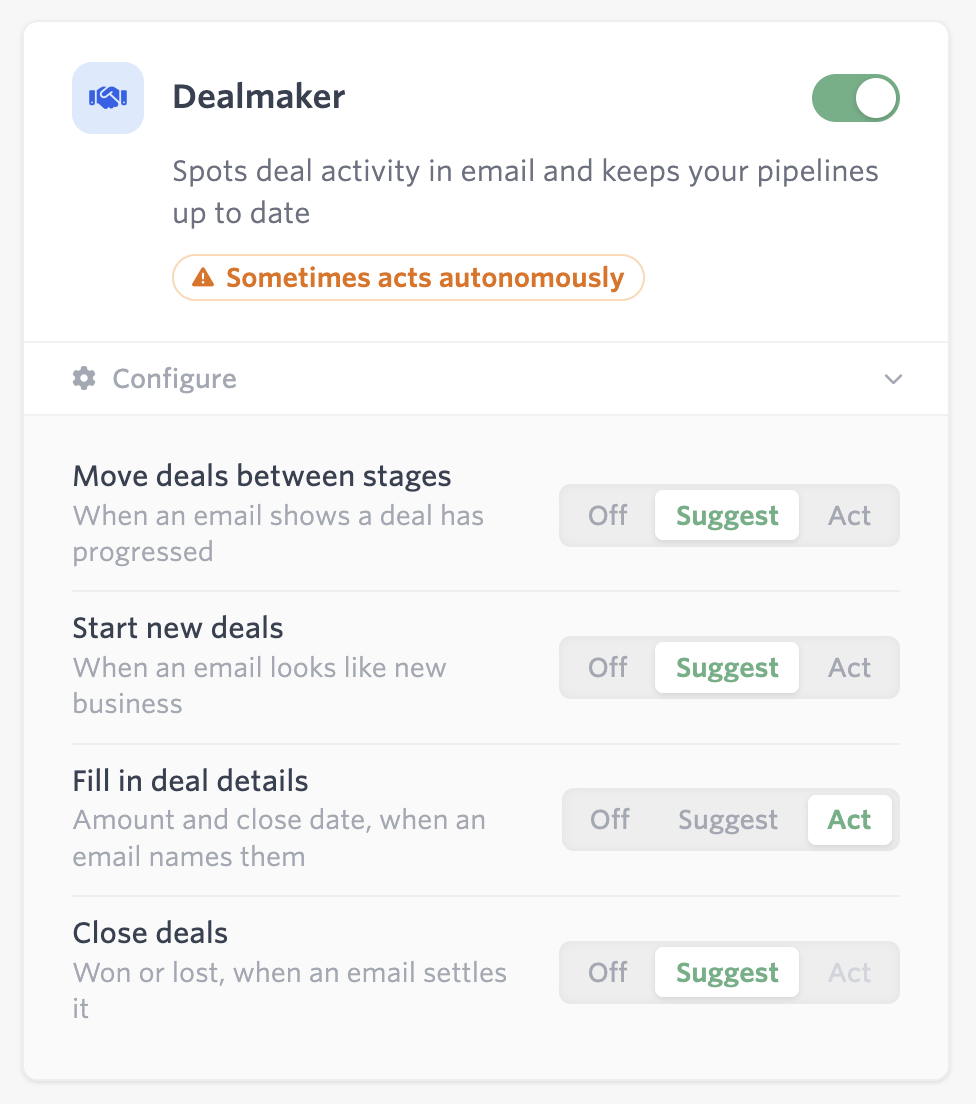
In this example, we’re conservative: the deal agent can suggest new deals and statuses, but it can add deal values and close dates without permission:
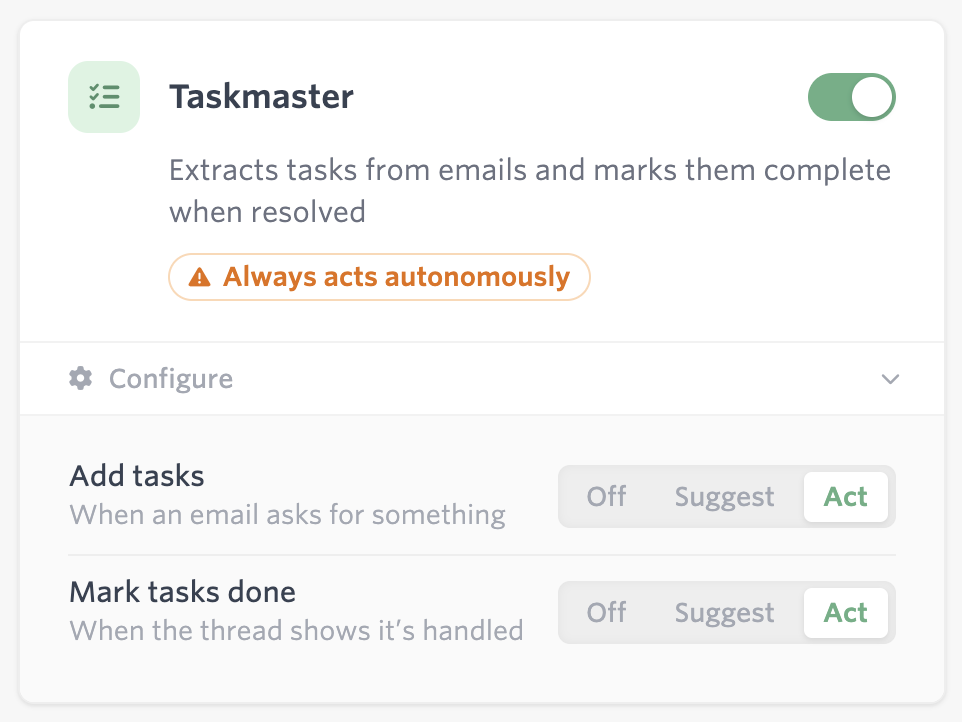
With tasks, we may prefer a different balance. We’re allowing this agent to both create new tasks and close existing ones:
Speeding up the review process
When you choose to have an agent suggest rather than act, you’re signing a human up for work—work that’s easier since it’s accept/reject decisions rather than data entry, but work nonetheless.
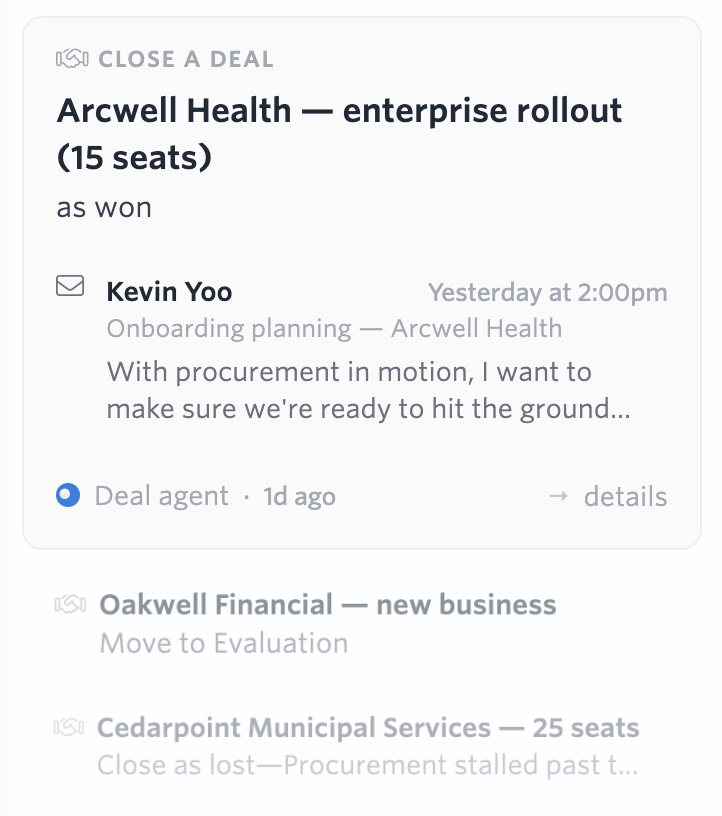
We built the proposal “river” to make this work as efficient as possible. Users with appropriate permissions can see various agent suggestions, along with the supporting information (e.g. what text in the email led to this recommendation). Accepting and rejecting suggestions, viewing details, editing recommendations, and flipping between items work with straightforward keyboard shortcuts. And if you click the wrong button, for an action that can be reversed, undo is just a z key away.
Tracking agentic actions and provenance
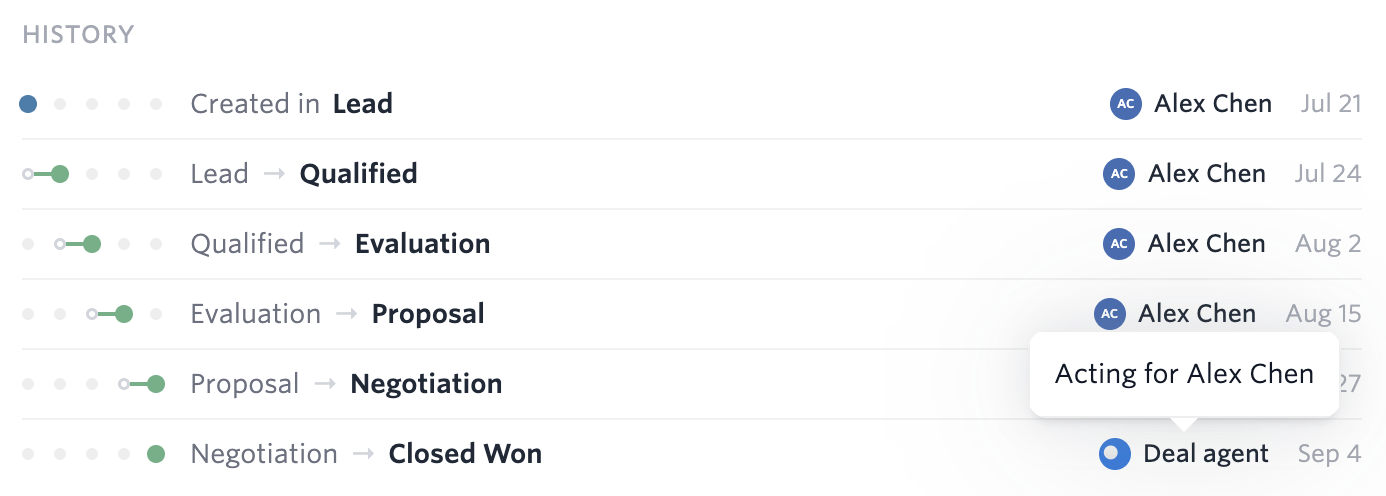
Whenever an agent acts (with or without approval), it’s important to track what it did and why, both because users need to understand whose judgment resulted in the data they see and so we can understand acceptance/rejection decisions to improve our agents.
Everything an agent does is visible in your notifications, so you can monitor and audit what your agents are doing. And for individual results, you can see what happened and when:
Deals, pipelines, and the agents that keep them current are coming to Carom soon. If you missed it, the first post in this series walks through what we built and why.