
A CRM for Outlook and Microsoft 365 with no add-in to deploy
Carom connects to Microsoft 365 through Microsoft Graph, with per-user sign-in and no tenant-wide access. It builds client records from your team’s Outlook mail and calendars, and nobody has to keep them up to date.
- Private until you share it
- Never used to train AI
- Nothing sends without you
Everyone stays in Outlook, and Carom builds the client record.
Nobody changes how they send mail. Carom reads each connected Microsoft 365 mailbox and files every thread, attachment, and meeting under the client it belongs to.
A teammate on Google Workspace can connect too. Their mail lands on the same client records.
You sign in with Microsoft and choose what to allow
Reading mail is the one permission Carom needs. The other four are switches you set before Microsoft’s consent screen appears, and you can leave any of them off.
Each person connects their own account. Signing in gives Carom access to that one mailbox and nothing else in the tenant.
For whoever runs your Microsoft 365 tenant
Someone in IT will be asked to approve this. Here is what they will want to know, in their terms.
What Carom is in your tenant
- Delegated access only. Each user signs in through Microsoft Entra and Carom acts as that user. There are no application permissions and no tenant-wide mailbox access.
- Microsoft Graph permissions: User.Read and Mail.Read always; Mail.Send, Mail.ReadWrite, Calendars.Read, and Contacts.Read only when the user switches them on.
- Mail.ReadWrite is used for two fields: read state and the follow-up flag. Carom doesn’t move, delete, or categorize messages.
- Consent follows your policy. If users can’t consent to apps in your tenant, an admin grants consent once and people can then connect.
What it doesn’t cover
- No Outlook add-in. Carom runs in the browser beside Outlook. There is nothing to deploy to desktops.
- No Exchange shared or delegated mailboxes. Carom connects accounts a person signs in to. For a team address, connect a licensed mailbox and share it inside Carom.
- Work and school accounts only. Personal Outlook.com and Hotmail accounts, on-premises Exchange, and IMAP are not supported.
Questions from Outlook teams
Do I work in Carom or in Outlook?
Both, as you like. Write and read mail in Outlook as you do now. Open Carom when you want the client’s whole history, the pipeline, your tasks, or an answer about an account.
Will it change anything in my mailbox?
Only read and flagged state, and only if you switch that on. Folders, categories, and rules are left alone, and nothing is ever deleted.
How much of my mail does it read?
The whole mailbox on import, apart from junk, deleted items, and drafts. It runs in the background, and a large mailbox can take a few hours.
How do we handle sales@?
Exchange shared mailboxes can’t be connected, because nobody signs in to them. Give sales@ its own licensed mailbox, connect it, and share it in Carom with the people or groups who should read it or reply from it. That costs a Microsoft license plus $29 a month in Carom.
Does Carom see Teams meetings?
It sees them as events on your Outlook calendar, with the attendees and time, and links them to the people and companies involved. It doesn’t join or record meetings.
How do we remove it?
Delete the mailbox in Carom and the mail it imported is deleted from Carom. An admin can also remove the app’s consent in Entra, which cuts off access at the source.
What your team gets from it
A pipeline that follows the mail. Each deal opens to the emails, people, and tasks behind it.
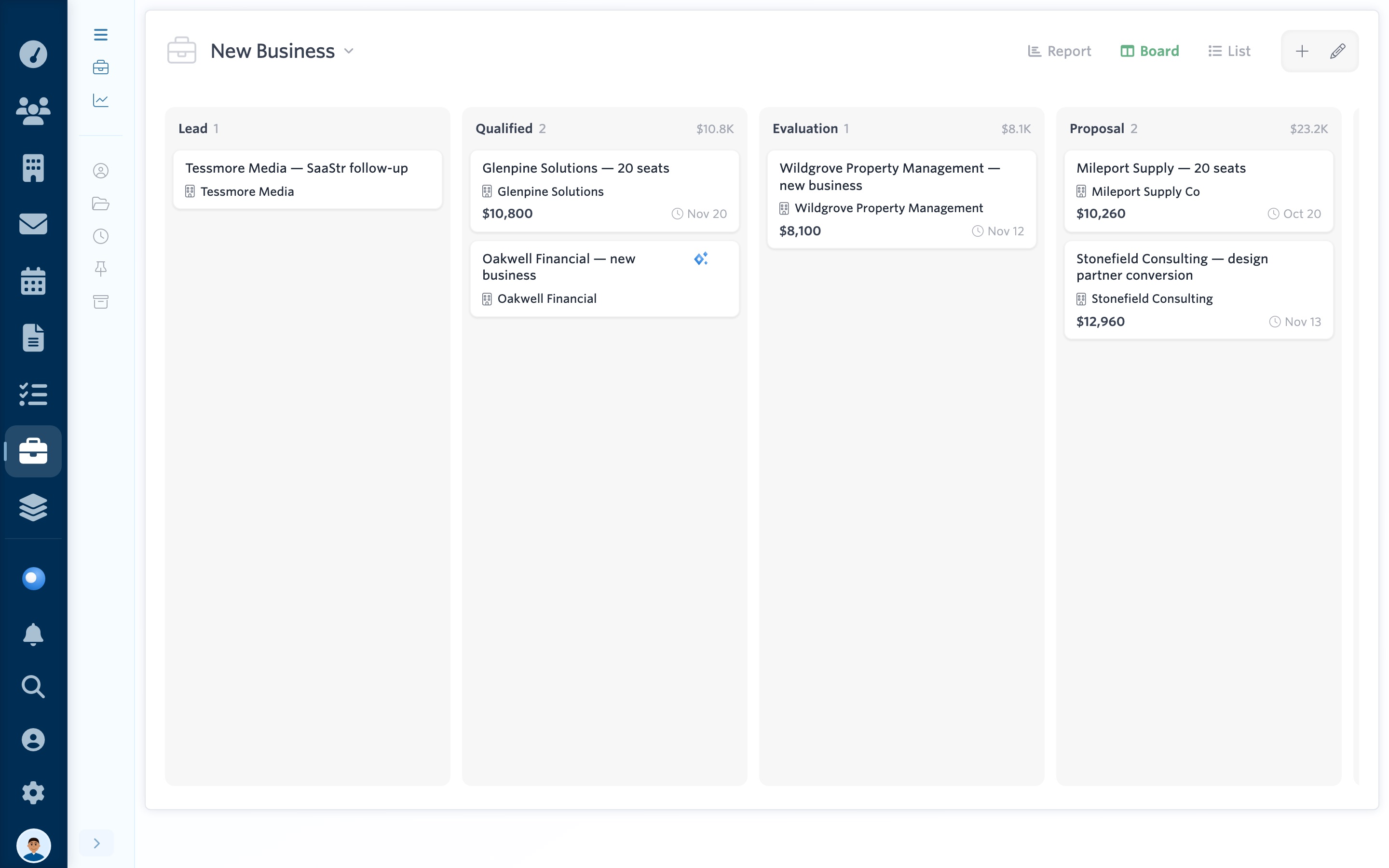
See it yourself: open the live demo, pick any teammate, then choose Deals and New Business.
Try it before anyone in IT has to approve anything.
The live demo needs no signup and no Microsoft account.