
Balancing private contacts and transparency
Privacy and collaboration are inherently opposed. The only way to be sure nothing privileged or personal is shared inappropriately is to have no sharing at all, and the only way to be sure every conversation is available to anyone who may need it is to share everything.
Our job, of course, is to strike the right balance for our users. This is as much a matter of interface design as it is a matter of policy. In other words: we can’t just determine what can be shared and assume that what will be shared is the optimal amount.
Defaults matter, and how we present choices matters. And of course, the stakes are real if users inadvertently share something they didn’t intend to. Emails—even work emails, whether or not governments say employers own them—can contain personal data that we don’t think should be shared without a user’s permission. That’s true of the metadata (who you emailed and when), not just the contents. We designed our sharing model around that belief.
Your public/private address book
Here’s how that looks in practice for your contacts.
When you create a new mailbox, you have a choice of whether to share anything about the contacts you’ve interacted with—and if you don’t want to, your contacts will remain private to you:

We think you should consider sharing—but it’s not all or nothing. If you decide to share contacts, we give you a few choices, defaulting to contacts at businesses rather than the spouse, parents, children, and friends whose Gmail accounts you might interact with:
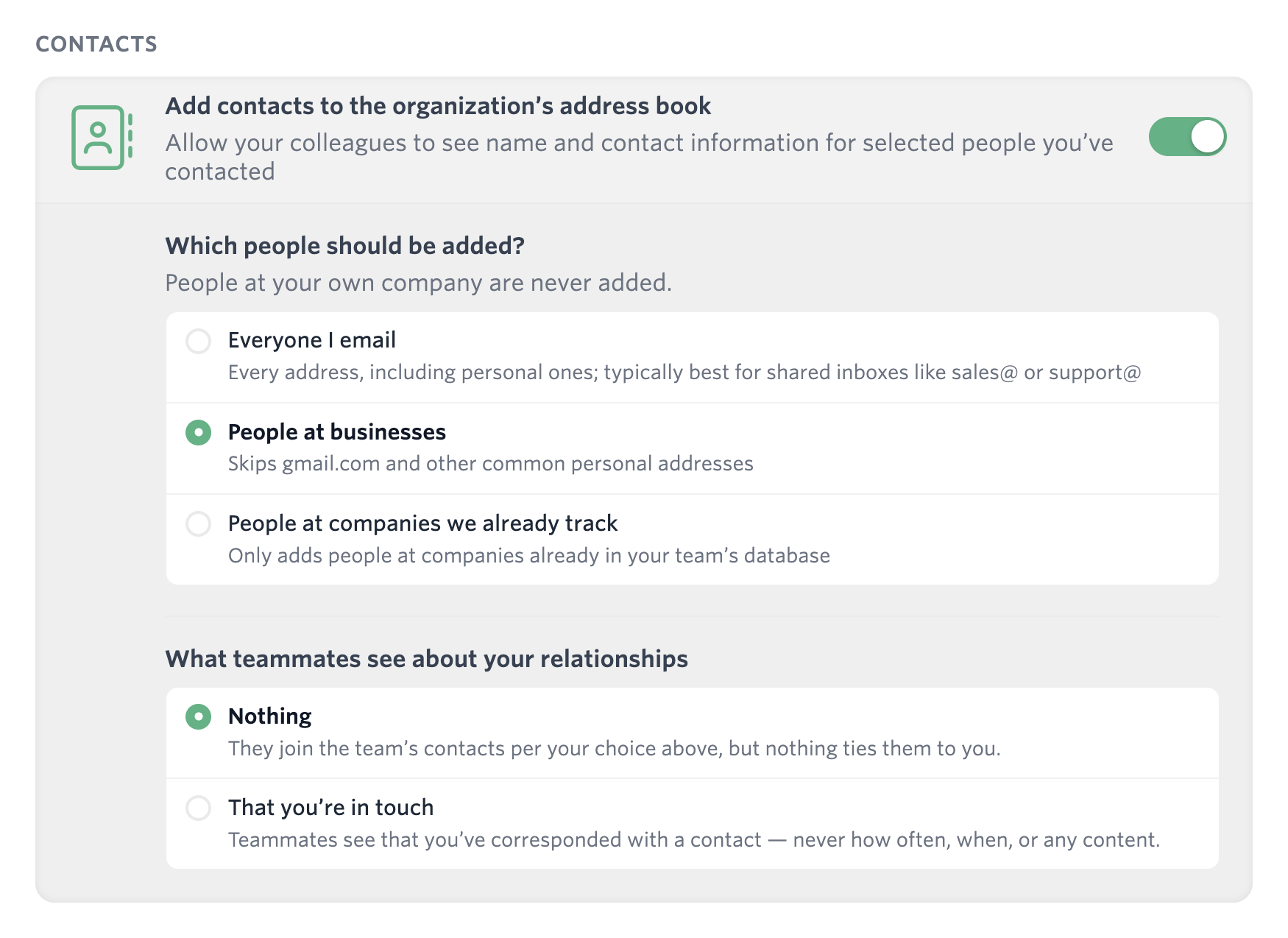
For whichever contacts you add to your team’s shared database, you have two privacy-preserving choices:
- Share nothing. Your teammates can see the names and contact information for these business contacts, but they won’t know that you’ve spoken with them.
- Share that you’ve spoken before. Not what you said (unless you explicitly choose to share that) but enough for your colleagues to ask you if you have any relevant context before their next meeting.
For most people, in most cases, we think sharing who you’ve interacted with is the right balance. That tells your colleagues that you have been part of at least one email exchange with a given contact, but not when or what you spoke about. If your team needs to know more—maybe the salesperson is preparing for a call and wants to understand any conversations with engineering, finance, or customer success that he or she has missed—that lets them know who to talk to.
And again: this is just about who you spoke with, not what you said. You can choose to share your actual email history with any person or group on your team, but that’s something we only do with your explicit opt-in.
Please share, whoever you are
Carom makes it easy for users to voluntarily share not just the fact that they know somebody, but also every email and file exchanged between them. That’s a simple solution when you know everybody your contact has interacted with. When you’re viewing a contact in Carom, you can ask anybody who’s interacted with that person—and shared that fact—to also share their past emails with the contact:
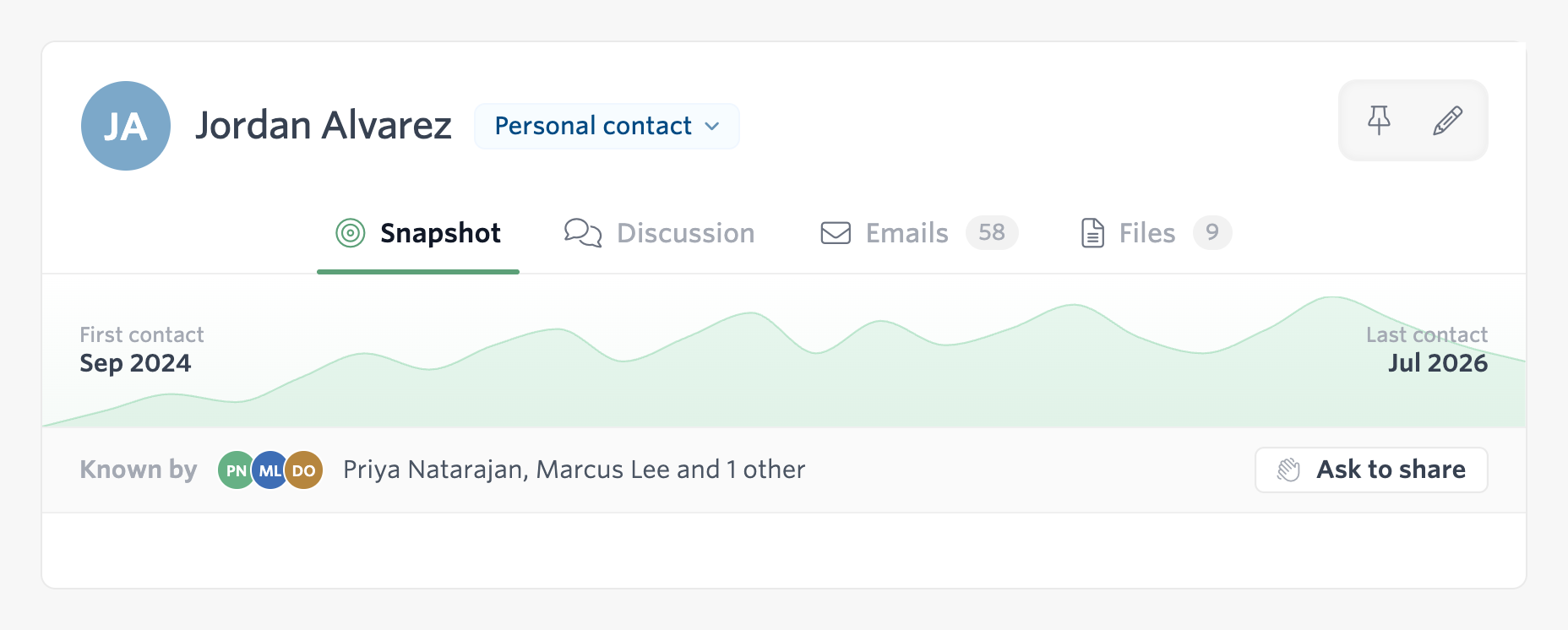
If a user agrees to share his or her contact history, you’ll see a note that the history you’re viewing comes not just from your own mailbox, but also from your colleagues’.
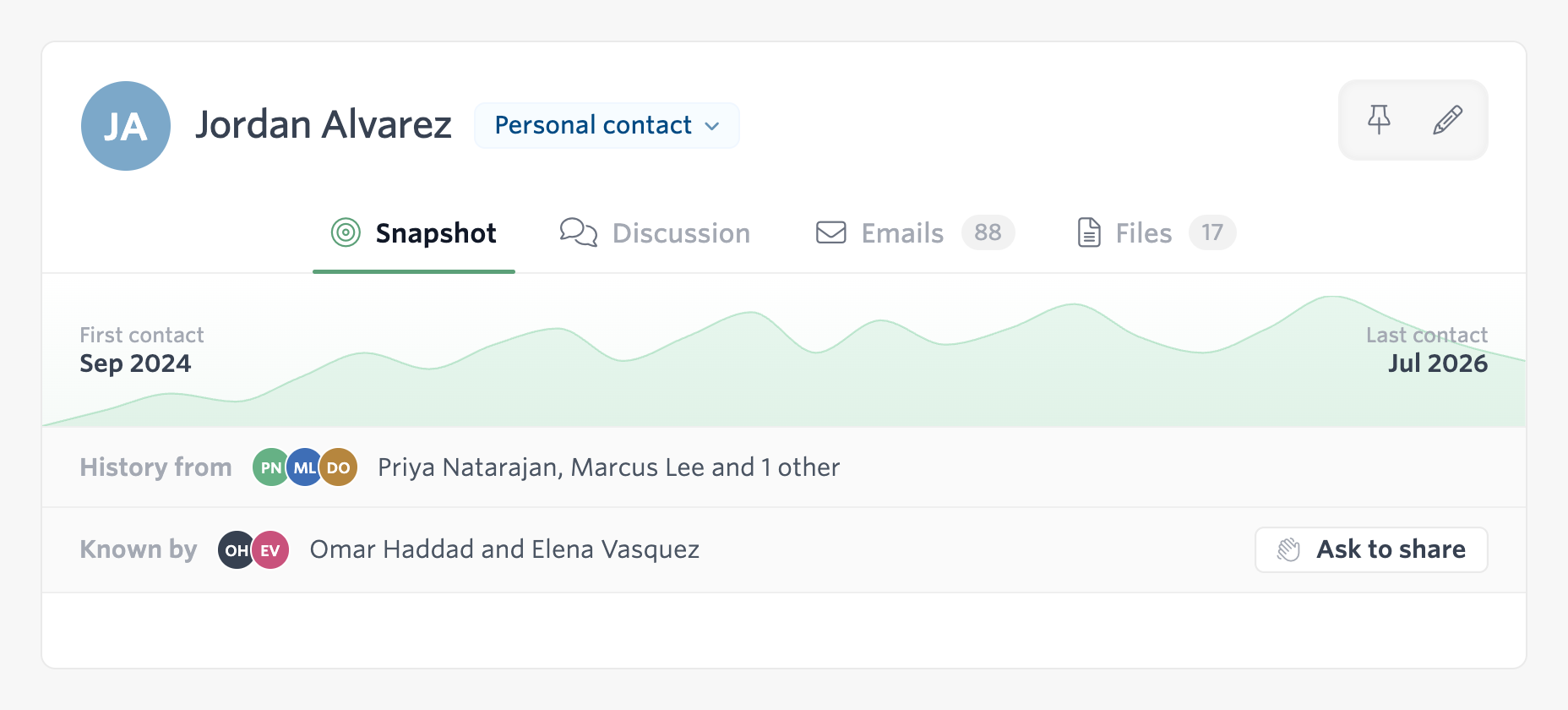
But for a team with lots of touchpoints or flexible roles, you may not know who’s spoken with whom. Sharing that information reveals something that could be private. We don’t want users to have to share that they’ve spoken with an external recruiter, a competitor, or a therapist or physician.
So how can you ask someone to share their interactions, if you don’t know who to ask?
For any global contact, you can broadcast across your organization: Can anyone who has spoken with this contact please share their interactions? As the requester, you don’t know who will see your request, but it will go out to anyone who has a history with the contact:
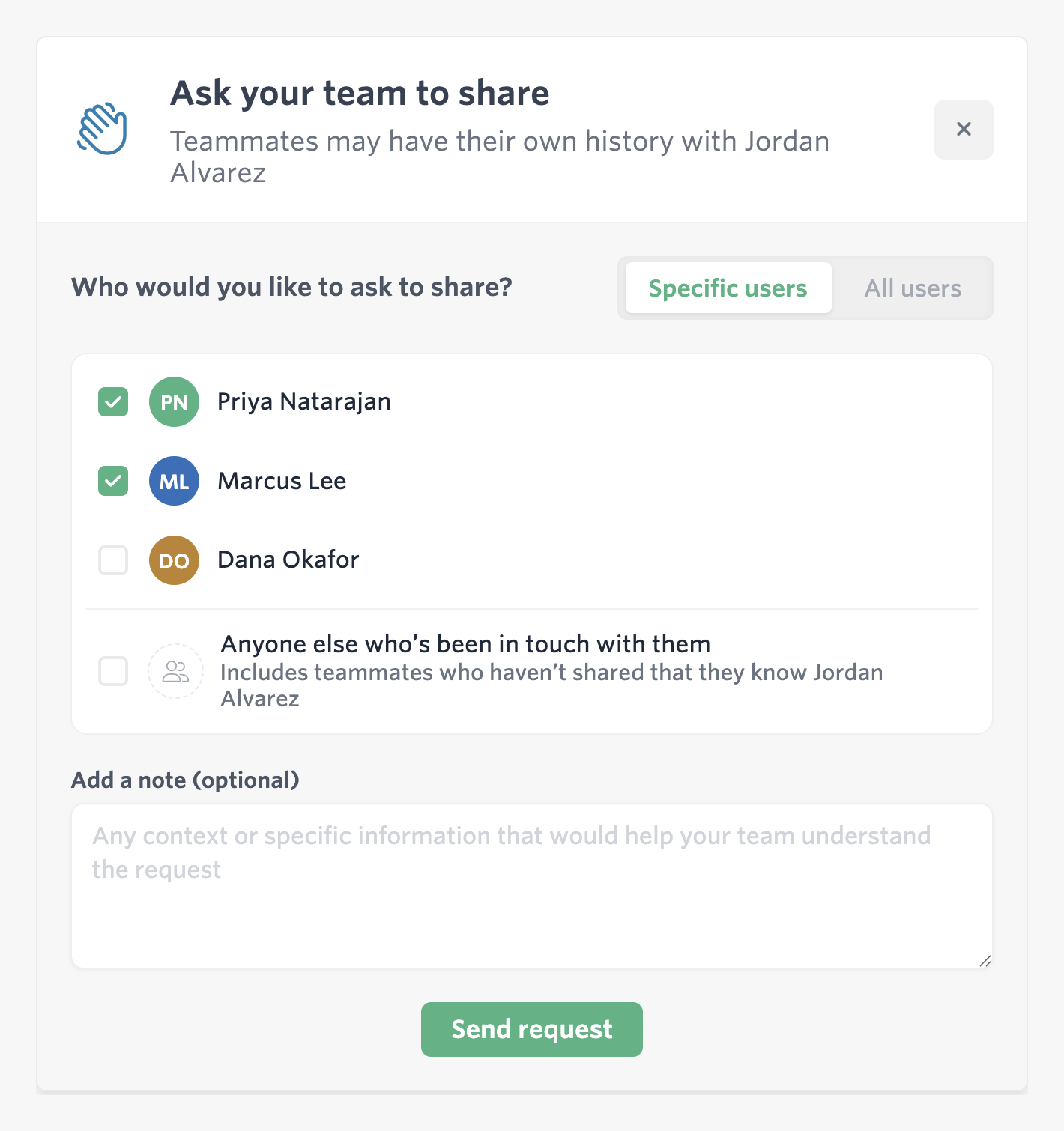
And if you’re on the other side of the table, you’ll get notified right away. You can see who asked you to share, and why (if they provided a reason). You can decline without your teammates knowing you did so, since they don’t know who received the request. If you choose to share your history, the requesting user will see the emails and files you’ve exchanged with the contact.

This may seem like an awful lot of details and workflows to solve a simple problem. But we think it’s necessary—collaborative software only works if it strikes the right privacy/transparency balance, and that requires constant care and attention to detail.